
Table games
Blackjack deck logic
In the config.lua file of sf-blackjack you can set the
Config.RandomDeck = true -- Booleanvalue to either true or false. If set to true the deck (3x standard 52 card decks) that is used for playing is shuffled every game which prevents card counting. If you want to make the game more realistic but at the same time enable players to count cards you can set this value to false. When set to false the deck is shuffled when two out of the three decks are used up. When the value is set to false, and the dealer shuffles the deck they will play an animation to indicate to players that they did so.
Configuring tables
Changing bets on tables
sf-roulette/config.lua:11-- Roulette
Config.Tables = {
{
coords = vec3(1024.628540, 52.756798, 68.860077),
heading = 143.1566619873,
model = 623773339,
replaceModel = -1273284377,
spawn = false,
type = "junior", -- you can add logic for table types (for example membership) check CanUseTable function in server/main.lua
moneyItem = "money", -- optional - you can add it to change money item per table
pedModel = `anypedmodel`, -- optional - you can add it to change ped model (!! The dealer dialogues will not work)
texture = 3,
bets = {
min = 10, -- minimum table bet
max = 500, -- maximum single bet
chipAmount = 3 -- maximum chip amount, all money you can put on roullete in this is 3 x 500 chips
}
},
}
-- Blackjack/Three Card Poker
Config.Tables = {
{
coords = vec3(1035.850098, 55.024582, 68.060074),
heading = 193.15667724609,
model = -1728077103,
replaceModel = 112404821,
spawn = false,
type = "junior", -- you can add logic for table types (for example membership) check CanUseTable function in server/main.lua
moneyItem = "money", -- optional - you can add it to change money item per table
pedModel = `anypedmodel`, -- optional - you can add it to change ped model (!! The dealer dialogues will not work)
texture = 2,
bets = {
min = 10, -- minimum table bet
max = 500 -- maximum table bet
}
},
}Enabling dev mode
To use the table configuratoin commands, you must enable the development mode by setting Config.DevMode to true. Make sure to disable it after completing the resource configuration.
Config = {}

-- It should be enabled by default
Config.DevMode = true
Remember to set Config.DevMode to false after resource configuration.
For existing tables in the game world, use the appropriate command based on the type of table:
Adding existing (in world) table
Use command for your script:
- Roulette: /getroulette
- Blackjack: /getblackjack
- Three Card Poker: /gettcp
When the command is executed, the script will automatically detect the nearby table model and save its details to a text file in the resource folder. Here's an example of the table configuration in the text file:
roulettes.txt -- 07/09/23 18:37:10
{
coords = vec3(1143.078491, 250.950150, -52.030754),
heading = 66.999984741211,
model = 623773339,
spawn = false,
texture = nil,
bets = {
min = 10,
max = 5000
}
},To add the existing table to the configuration, copy the table details from the text file and paste it into the appropriate section of the config.lua file. For example:
sf-roulette/config.lua:11Config.Roulettes = {
{
coords = vec3(1150.071655, 248.227341, -52.030754),
heading = 252.00001525879,
model = 623773339,
spawn = true,
texture = 3,
bets = {
min = 10,
max = 50000
}
},
{
coords = vec3(1143.078491, 250.950150, -52.030754),
heading = 66.999992370605,
model = 623773339,
spawn = true,
texture = 0,
bets = {
min = 10,
max = 5000
}
},
-- new table from the text file
{
coords = vec3(1143.078491, 250.950150, -52.030754),
heading = 66.999984741211,
model = 623773339,
spawn = false,
texture = nil,
bets = {
min = 10,
max = 5000
}
},
}Creating new table
To create a new table, use the corresponding command for your script:
Use command for your script:
- Roulette: /spawnroulette
- Blackjack: /spawnblackjack
- Three Card Poker: /spawntcp
Executing the command will activate the creator mode, allowing you to choose the position, texture, and heading of the table in the game. Once you're satisfied, press enter, and the script will save the table details to a text file. 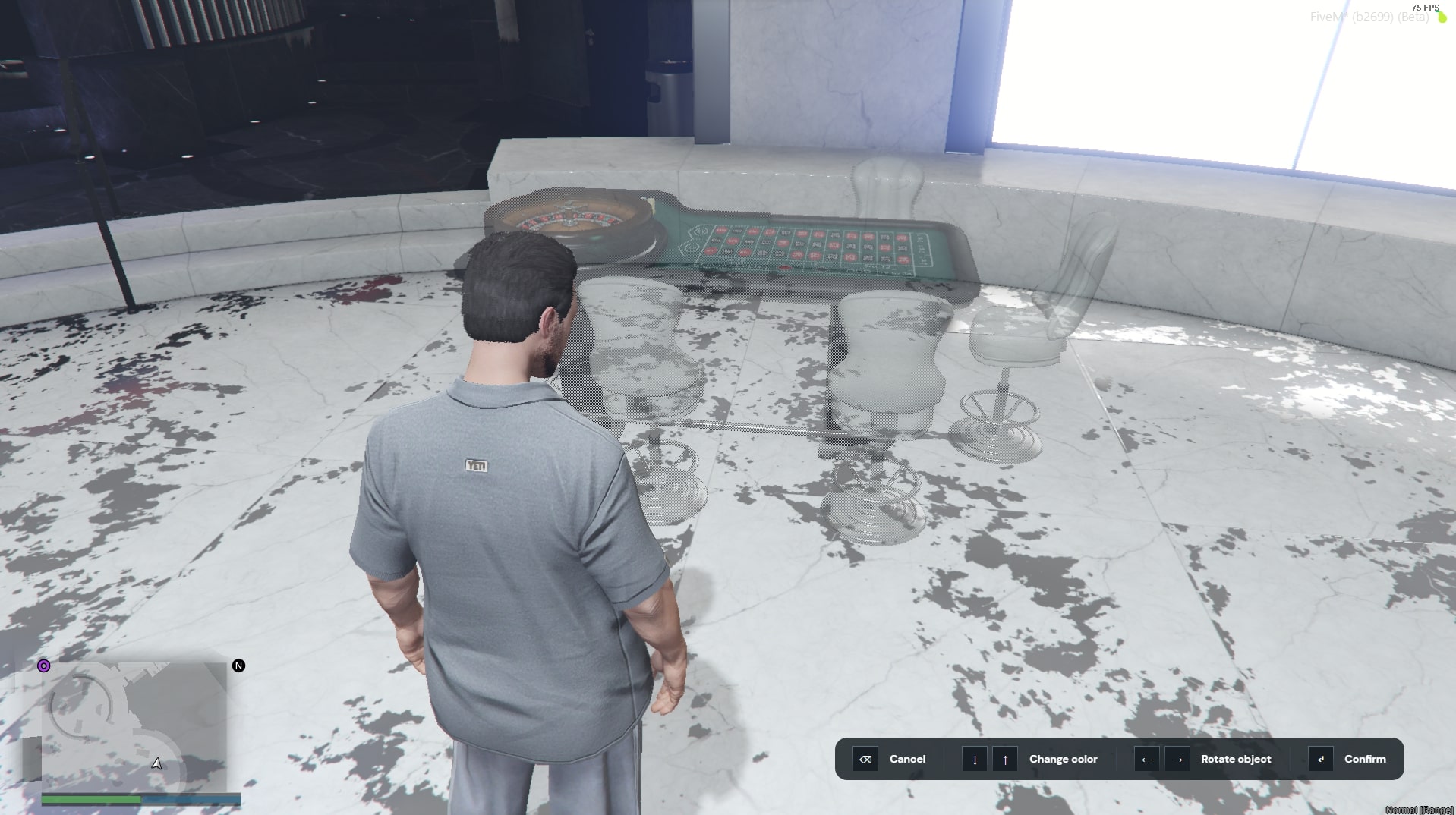
Here's an example of the table configuration in the text file:
     -- 07/09/23 18:46:17
    {
        coords = vec3(1144.410278, 268.813690, -52.840851),
        heading = 44.5,
        model = 623773339,
        spawn = true,
        texture = 0,
        bets = {
            min = 10,
            max = 5000
        }
    },
To add the new table to the configuration, copy the table details from the text file and paste it into the appropriate section of the config.lua file. For example:
sf-roulette/config.lua:11Config.Roulettes = {
{
coords = vec3(1150.071655, 248.227341, -52.030754),
heading = 252.00001525879,
model = 623773339,
spawn = true,
texture = 3,
bets = {
min = 10,
max = 50000
}
},
{
coords = vec3(1143.078491, 250.950150, -52.030754),
heading = 66.999992370605,
model = 623773339,
spawn = true,
texture = 0,
bets = {
min = 10,
max = 5000
}
},
-- new table from the text file
{
coords = vec3(1144.410278, 268.813690, -52.840851),
heading = 44.5,
model = 623773339,
spawn = true,
texture = 0,
bets = {
min = 10,
max = 5000
}
},
}